
- Filters/Actions For Post
- Spectra Patterns
- Contact Form 7: Checkbox / Radio / Acceptance Control
- Getting Started With Spectra
- WP – Search
- Create Contact Forms
- Import Single Pages, Templates, & Block Patterns
- Assets API For Third-Party Plugins
- Copy & Paste Style
- Load Google Fonts Locally
- Troubleshooting: Missing Icons
- Contact Form 7: Multiple Column Fields
- Unable To Style Contact Form 7
- Tab Index For Multiple Gravity Forms
- Manually Install Spectra Via FTP
- Enable/Disable Design Library Button
- Update Folder File Permissions
- Resolving Container Layout Conflicts
- Database Update Instructions (Below 2.0.0)
- Using Heading Block
- Buttons
- Post Grid
- Content Timeline
- Social Share
- Google Map
- Add Testimonials
- Info Box
- Section
- Team
- Icon List
- Price List
- Post Masonry
- Post Carousel
- Post Timeline
- Call To Action
- Advanced Columns
- Blockquote
- Marketing Button
- Table Of Contents
- How-to Schema
- FAQ’s: Schema/Accordion
- Inline Notice
- Exclude Heading From TOC
- Review Schema
- Lottie
- Taxonomy List
- Tabs Block
- Block Display Conditions
- Star Rating
- Masonry Image Gallery
- Wireframe Blocks
- Copy & Paste Style
- Container Flex Property
- Default Content Width
- Heading Block
- Image Block
- Buttons Block
- Container Block
- Responsive Conditions
- Taxonomy Styling Options
- Block Presets
- Image Gallery
- Counter Block
- Modal Block
- Registration Form Block
- Dynamic Content Extension
- Slider Block
- Pagel Level Custom CSS
- Countdown Pro
- Slider Custom Navigation
- Loop Builder
- Animations
- Login Form Block
- Global Block Style Extension
- Create Popups
- Grid Builder
- Using Dynamic Content in FSE Templates
- Pixabay Image Search Feature
- Getting Started with Instagram
- Advanced Loop Builder
- Transparent / Sticky Header
- Change Site Logo
- Change Global Styles
- Disable Title on Posts & Pages
- Transparent / Sticky Header For Single Page / Post
- Change Header & Footer Patterns
- Custom / Google Fonts
- Reset Global Default Styling
- Manually Install Spectra One Via FTP
- Enable / Disable Header & Footer On Specific Pages / Posts
Blockquote
This block allows sharing content from your site on Twitter. Here is a demo for the block.
Key features –
- Pre-designed layouts – Modern and Quotation
- Option to add Author image along with the name
- Stack Author details and Twitter button on responsive devices
- Typography and Color options for content
- Completely customize Twitter Icon
- Spacing options
How it works?
Block allows adding content with Author details and will offer a Twitter Icon button. You can also enter Twitter account username that will be shared along with the content. Clicking on the Twitter Icon button will open a small window on a new page. This window will contain – content (quote), page URL and Twitter username (if entered). You would need to login to your Twitter account to share the quote in the above window.
Pre-designed Layouts – Modern and Quotation
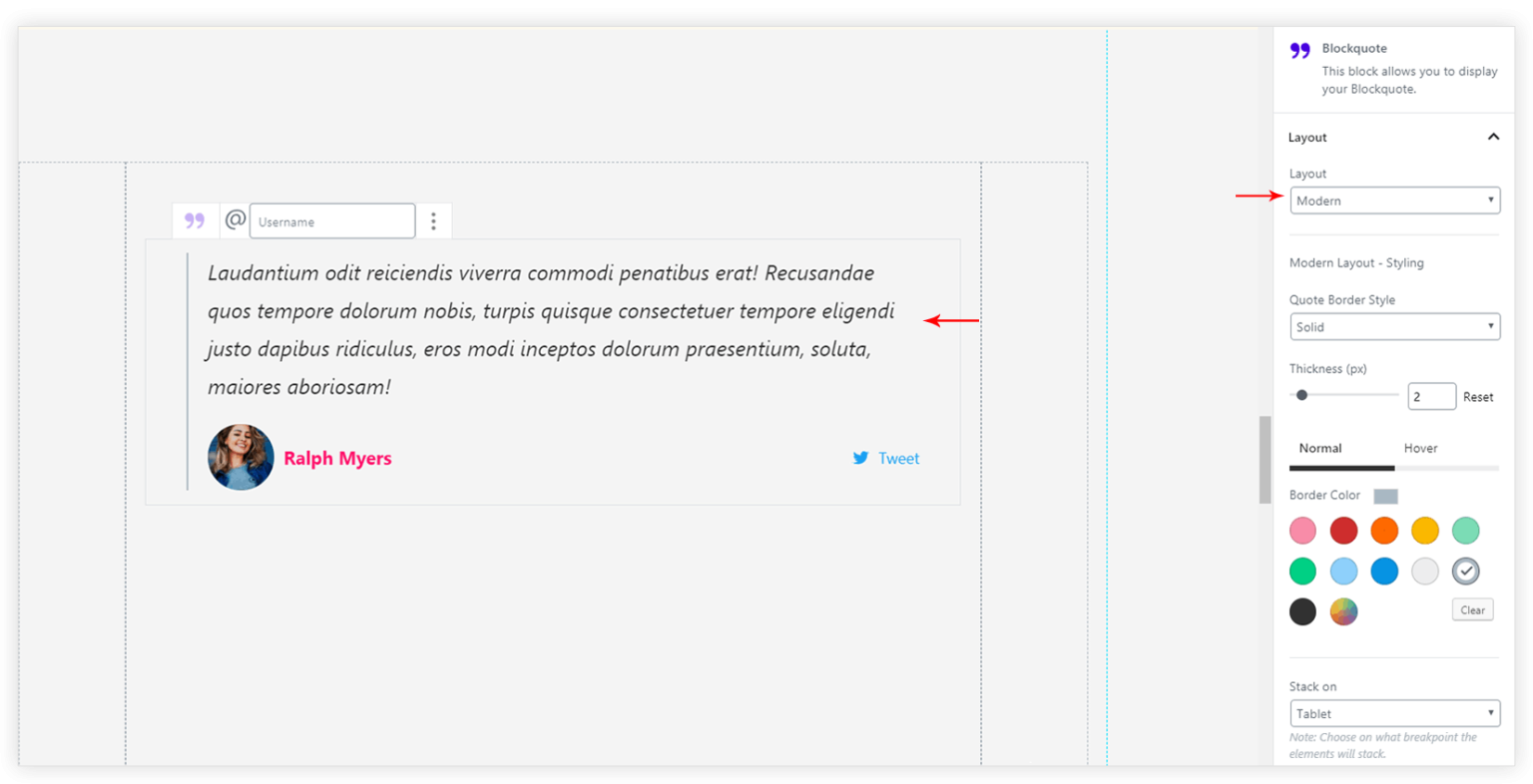
Under Layout tab you can choose a design for Blockquote.
Modern layout offers following options –
- Quote Border Style
- Thickness (px)
- Border Color (Normal and Hover)
- Stack on – Choose on what breakpoint the elements will stack
Quotation layout offers following options –
- Quote Icon Size
- Background Size
- Quote Icon Border Radius (%)
- Quote Icon Colors (Normal and Hover)
- Icon Background Color
- Stack on – Choose on what breakpoint the elements will stack
- Inline/Normal Quote – Manage the Quote Icon and content alignment. Refer a screenshot.
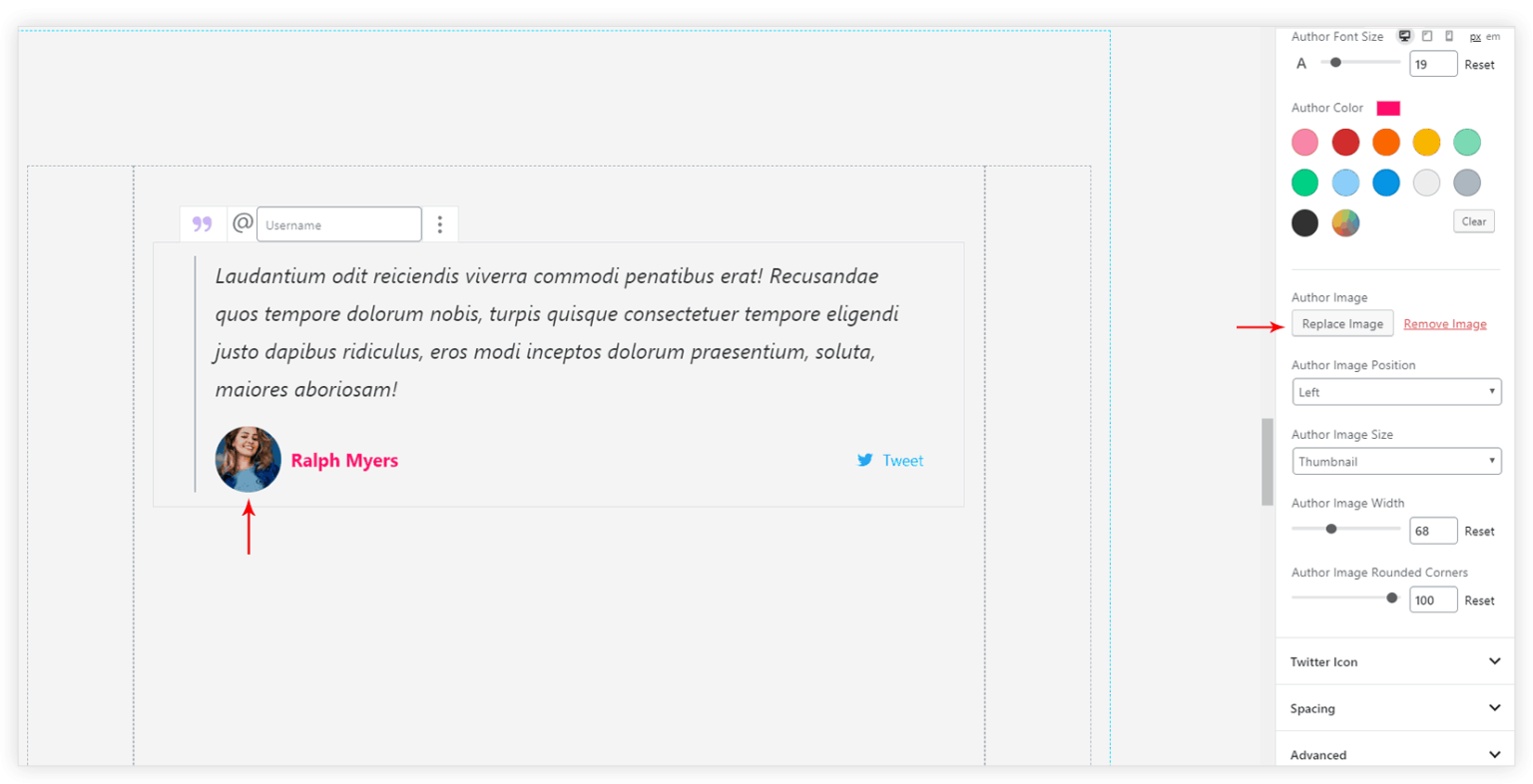
Add Author image
Under Content tab Author Image can be added. Additional settings will appear for author image Position, Size, Width,Rounded Corners.
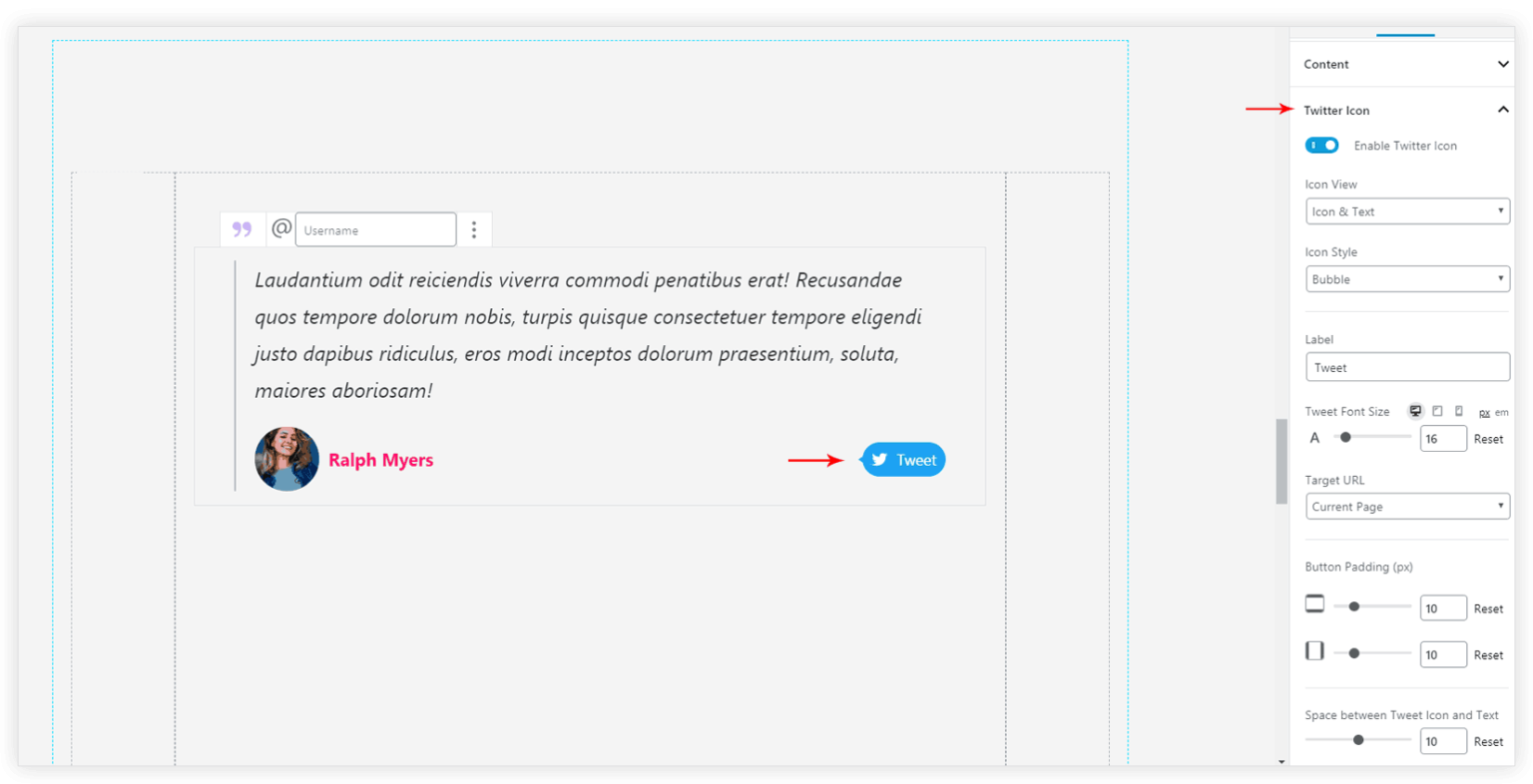
Customize Twitter Icon
Twitter icon will appear in a small button. This button can be customized with following options –
- Icon View
- Icon Style
- Font Size
- Target URL
- Button Padding (px)
- Tweet Color
- Tweet Background Color
Spacing options
Spacing can be managed for the block elements under Spacing tab. Options will be available based on selected layout.
We don't respond to the article feedback, we use it to improve our support content.